Design Workstation
Turn simple instructions into high-quality graphic designs. Featuring lossless vector output, multi-layer PSD export, asset management, style presets, and more — for any graphic design scenario.
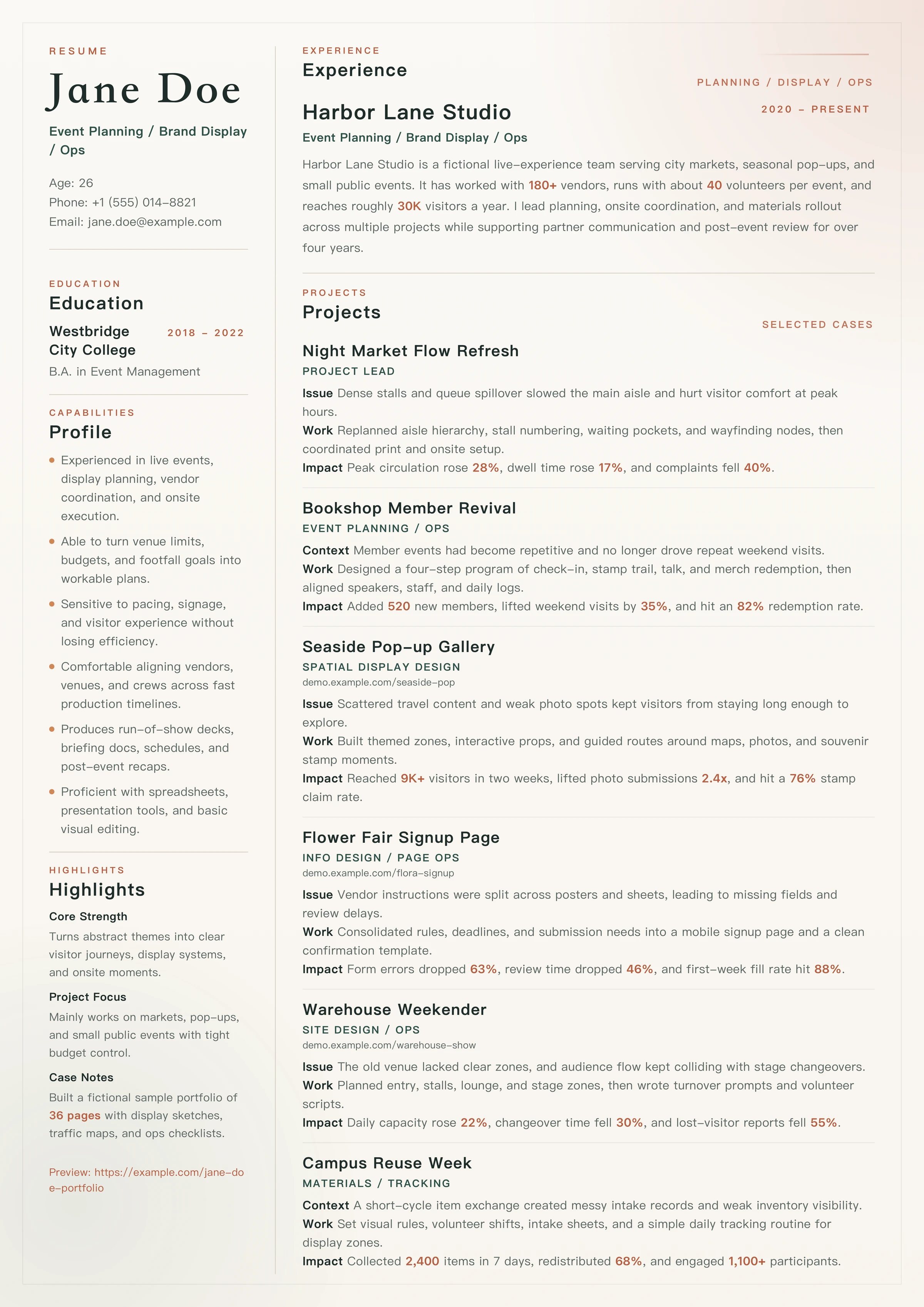
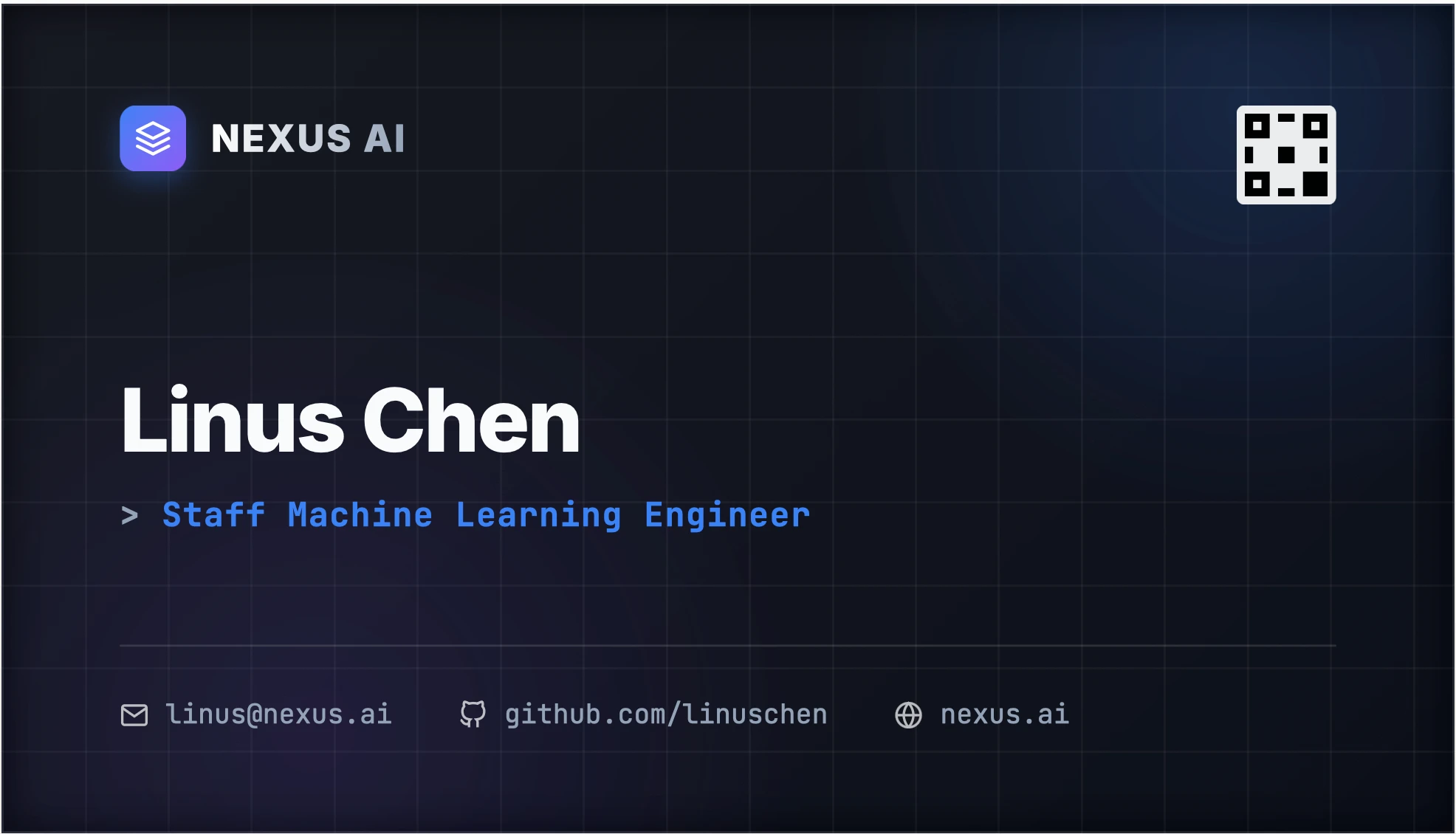

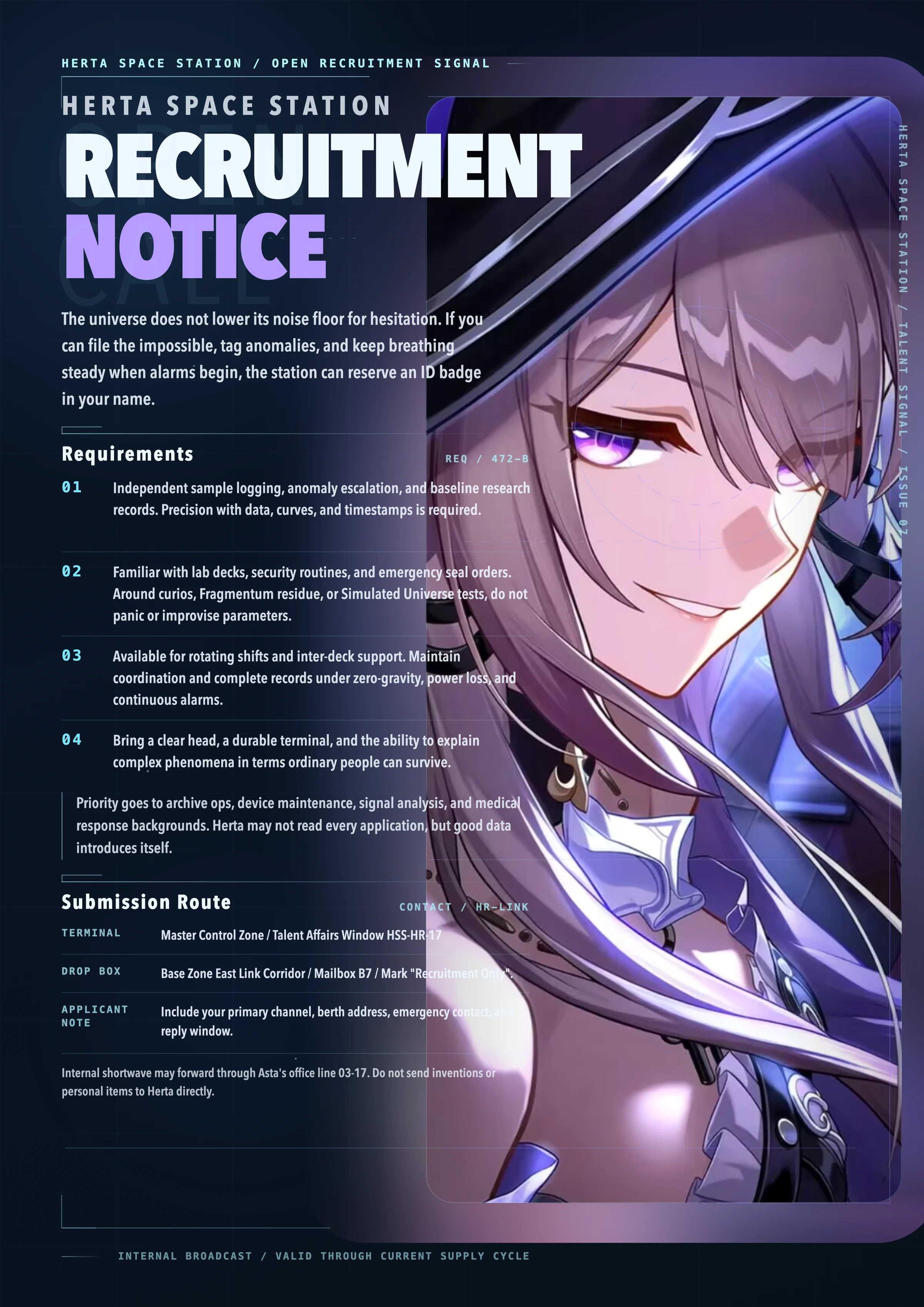
How was this designed?
Just 3 turns of conversation
Lay out the following resume content within an A4 ratio — professional, clean, and easy to read...
Enhance the contrast colors, it looks a bit flat. Remove the gradient bar and better integrate the education section.
Increase the body text size for better readability. Feel free to use more of the white space below.
Production-Grade Design
More than simple generation — a complete workflow. DesignCode offers a suite of advanced features built for professional designers and developers.
Conversational Generation
Describe your needs to the Agent directly in the chat, get a complete design, and fine-tune it through continuous conversation.
Live Preview & Direct Editing
Preview your design in real time on the canvas and directly edit text content.
Lossless Vector Output
Theoretically infinite resolution. Export as SVG vector format or high-quality raster images at multiple resolutions.
Multi-Layer PSD Export
Seamlessly integrate with professional workflows. Exported PSDs contain full layer structure with proper transparency channels.
Style Presets & Configuration
Choose from a rich library of style presets and pre-configure dimensions in the menu for precise output control.
Asset Management
Build a user-level local asset library and freely select materials for each design.
History & Rollback
Full history tracking system — every adjustment is reversible, with each design saved independently on your device.
Copyright-Free
Uses HTML, CSS, and SVG as the design medium — no image generation models involved, no AI-generated content, no copyright risks.
Cross-Platform Desktop
Built with Tauri v2 for a lightweight yet high-performance experience on both macOS and Windows.
Code as a design medium —
breaking through traditional AI image generation.
DesignCode's unique advantage comes from its innovative technical approach. Unlike traditional AI image tools that use Diffusion Models, DesignCode creatively uses HTML / CSS / SVG as the underlying design medium.
- Precise text rendering — no blurry or garbled text.
- Vector-grade clarity with theoretically infinite resolution and multi-quality export.
- Full post-editing capability — the output is living code and layers, not static bitmaps.
<div className="relative flex flex-col p-8">
<!-- Agent generates precise layout -->
<h1 className="text-4xl font-black text-white">
AI Driven Design
</h1>
<svg viewBox="0 0 100 100">
<path d="M10,50 L90,50..." stroke="#F97316" />
</svg>
</div>
Quick Start for Users
Download, install, and start creating in three steps.
Download
Head to GitHub Releases and download the installer for your system (macOS / Windows).
Go to Downloads →Configure Agent
Open the app and set up your AI Agent connection in the "Runtime" menu on the left.
Start Creating
Describe your design needs in the chat panel on the right and get results instantly.
Quick Start for Developers
For advanced users who want to customize or get bleeding-edge updates.
Node.js ≥ 18 and Rustcd DesignCode
About Us
DesignCode is published by Haruhi Labs .
Haruhi Labs is an affiliate of the Haruhi Suzumiya Fan Club, dedicated to creating projects that make the world more exciting.
Feel free to apply via email!
- BILIBILI@凉宫春日应援团
- GITHUBharuhiyuki/DesignCode
- EMAILharuhifanclub@outlook.com